
When we talk about installing a computer network , actually what we are doing is to unite different computers together so they can exchange data . These networks are formed by "nodes" and can be structured in different ways according to what suits us best in terms of network quality, number of computers and budget.
We talked on another occasion of types of networks according to their connection and what is recommended. This time we will talk about computer networks according to their topology or internal configuration, its advantages and its drawbacks.
1. Bus or online

They are those that are connected to a single trunk or communication channel , through which pass the data. The two ends of the coaxial cable end up with a "terminator", which carries a resistance that prevents "impedance". In addition there will be a series of T drivers, which are the branches to which the computer equipment is connected.
It is the easiest to assemble, but it has several drawbacks: if the cable is broken, the entire network is no longer operative. In addition, as we add new equipment, with the disadvantage of requiring more space, the network tends to degrade and lose signal.
2. ring
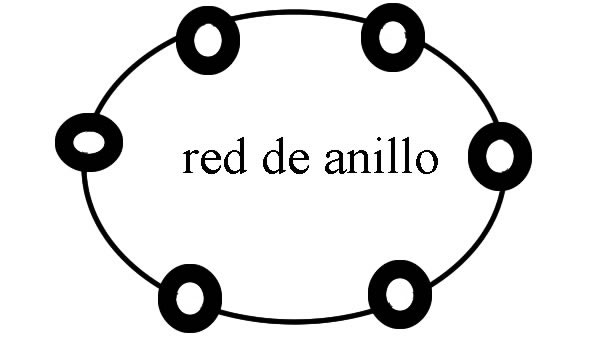
It is one where one computer is connected to another, and the other to the next, in the form of a circle or ring, until reconnected to the first. Each station has a transmitter and a receiver. Sometimes they can come together by two cables, and are called double ring .
We can use it with many computers, so we do not lose so much performance when we use them all at once. But the problem once again is that a single fault in the circuit leaves the network isolated.
3. Star
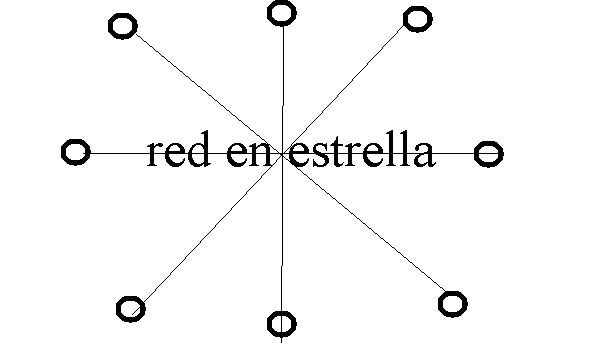
The star topology is where the nodes are connected to a "hub". We are talking about a device that receives the data signals from all the equipment and transmits it through the different ports.
It has the advantage that when a cable breaks only a computer would be isolated from the network and repair is easier. The repeater allows us to easily add equipment. The only disadvantage is the cost (requires a cable for each computer + the hub) and the possibility of failure of the hub.
4. Extended Star

Very similar to the previous one, but in this case some of the computers become the main node or transmitter of data of other computers that depend on this one.
5. Network in tree
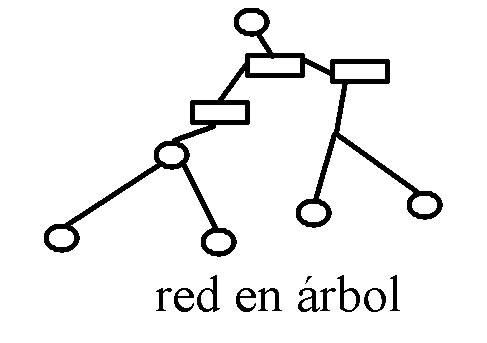
It is very similar to the star network, but does not have a central node . We have several hubs or switches, each transmitting data to a star network. The main disadvantage is that requires several hub and cable lot , making it more expensive, but not being centralized, the problem of signal interference and better network hierarchy is avoided.
6. In mesh
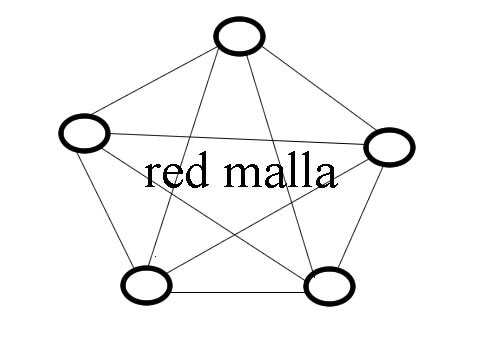
All nodes are interconnected. Thus, data can be transmitted through multiple channels, so the risk of breakage of one of the cables does not threaten the functioning of the network. Neither does it require a central hub or hub and the risk of interruptions and interference is avoided.
The main problem, of course, is that in cable networks the cost can be very high, although in maintenance issues would give much less problems.
There are many variations that we have not mentioned, but in any case these come to be the main ones. We hope this article has been helpful to you. You can also read if you want "the 5 characteristics of a good computer network" .
If you liked this article, we invite you to give us a like on Facebook and be aware of all our updates.
0 comments:
Post a Comment